Sprite Tiling
The RepeatedSprite component tiles a sprite across an area, useful for repeating textures like terrain, backgrounds, or patterns.
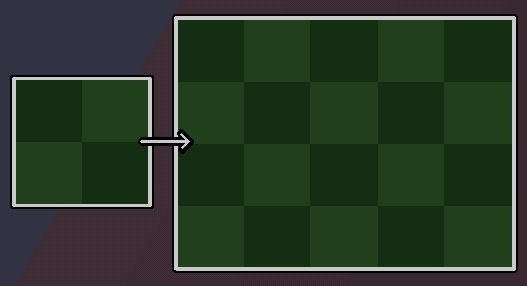
Quick Start
teal
local gfx = require("tecs2d.gfx")

-- Create a tiled ground texture
world:spawn(
    tecs.builtins.Transform(0, 500),
    gfx.Sprite.fromTexture(grassTexture), -- what to repeat
    gfx.RepeatedSprite({
        repeatX = true,  -- Tile horizontally
        repeatY = false, -- Tile vertically
        width = 800,     -- Total width to fill
        height = 32,     -- Total height to fill
    })
)
RepeatedSprite Component
Properties
| Property | Type | Default | Description |
|---|---|---|---|
repeatX | boolean | true | Tile horizontally |
repeatY | boolean | true | Tile vertically |
width | number | 0 | Total width of the tiled area |
height | number | 0 | Total height of the tiled area |
Required Components
| Component | Description |
|---|---|
Transform | Position of the tiled area (top-left corner) |
Sprite | The texture to tile |
Animated sprites
RepeatedSprite works with animated sprites:
teal
-- Animated water tiles
world:spawn(
    tecs.builtins.Transform(0, waterY),
    gfx.Sprite.fromAseprite("water.png", "ripple"),
    gfx.RepeatedSprite({
        repeatX = true,
        repeatY = false,
        width = levelWidth,
        height = 32
    })
)
All tiles share the same animation state.
Transform Support
Rotation and scale from Transform apply to the entire tiled rectangle as a unit. The geometry (quad) is transformed around the pivot point; the individual tiles inside remain axis-aligned relative to each other.
teal
world:spawn(
    tecs.builtins.Transform(400, 300, 1, 1, {
        rotation = math.pi / 6,  -- 30 degree rotation
        scaleX = 1.5,
        scaleY = 1.5
    }),
    gfx.Sprite.fromTexture(patternTexture),
    gfx.RepeatedSprite({
        repeatX = true,
        repeatY = true,
        width = 200,
        height = 200
    })
)
Dynamic Resizing
You can update the RepeatedSprite at runtime, just be sure to mark the RepeatedSprite column dirty on the archetype to trigger a resync.
teal
local repeated = world:get(entityId, gfx.RepeatedSprite)
repeated.width = newWidth
repeated.height = newHeight
world:markComponentDirty(entityId, gfx.RepeatedSprite)  -- Trigger re-sync
Combining with Styling
A RepeatedSprite entity can be styled with the various styling components like Color, Unlit, and blend modes.
teal
world:spawn(
    tecs.builtins.Transform(0, 0, 1),
    gfx.Color(0.2, 0.2, 0.3, 0.5),
    gfx.Unlit,
    gfx.Sprite.fromTexture(gridTexture),
    gfx.RepeatedSprite({
        repeatX = true,
        repeatY = true,
        width = screenWidth,
        height = screenHeight
    }),
)
Materials can also be applied for custom effects:
teal
local water = gfx.newMaterial("water", { fragment = "shaders/water.glsl" })

world:spawn(
    tecs.builtins.Transform(0, 0, 1),
    gfx.Sprite.fromTexture(waterTexture),
    gfx.RepeatedSprite({
        repeatX = true,
        repeatY = false,
        width = levelWidth,
        height = 64
    }),
    water
)
Performance Notes
- Tiled sprites are rendered efficiently using UV wrapping
- The entire tiled area is a single draw call