Physics
Tecs provides a physics module that integrates with Love2D's Box2D bindings. This gives you rigid body dynamics, collision detection, and physics-based gameplay.
Philosophy
This module is a thin wrapper around Love2D's Box2D implementation. Rather than hiding Box2D behind abstractions, it exposes the full power of the physics engine through ECS components. You get direct access to Box2D bodies, shapes, and contacts, so you can build whatever physics behavior you need.
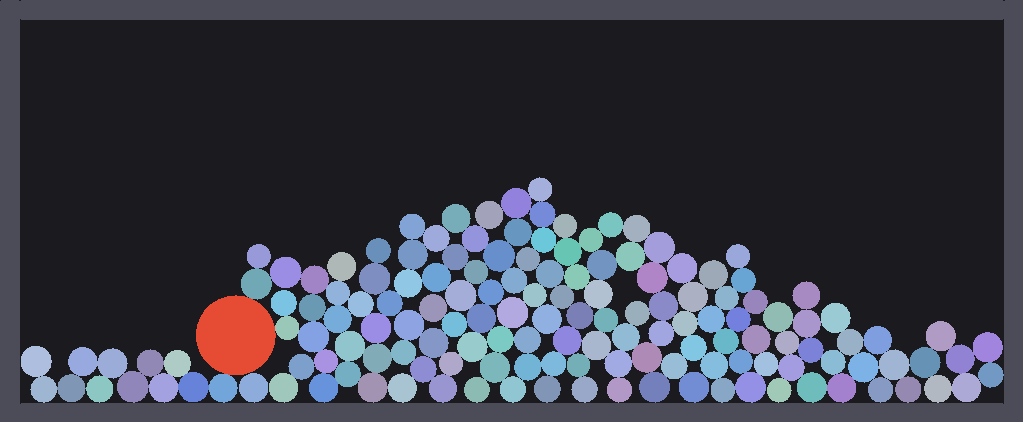
Run make example-physics to see this demo in action.
Getting Started
Create a Box2D world and add the physics plugin:
local tecs = require("tecs")
local tecs2d = require("tecs2d")
local physics = require("tecs2d.physics")

love.physics.setMeter(64)
local physicsWorld = love.physics.newWorld(0, 300, true)

world:addPlugin(physics.new({
    world = physicsWorld
}))
See love.physics.newWorld and love.physics.setMeter.
Plugin Configuration
| Option | Type | Default | Description |
|---|---|---|---|
world | World | required | Box2D physics world |
contactFilter | function | see below | Custom contact filter function |
defaultFixedRotation | boolean | false | Default fixedRotation for RigidBody when not specified |
smoothing | "interpolate" / "extrapolate" / "disabled" | "interpolate" | Transform smoothing mode |
Default Contact Filter
The default contact filter rejects collisions between entities on different Transform.layer values. This means entities only collide with other entities on the same layer. To override this behavior, provide a custom contactFilter function.
Accessing Physics State
Get the physics state to access the Box2D world or runtime settings:
local state = world.resources[physics]

-- Access Box2D world directly
local box2dWorld = state.world

-- Change gravity
box2dWorld:setGravity(0, 500)

-- Check current smoothing mode
print(state.smoothing)| Field | Type | Description |
|---|---|---|
world | World | The Box2D physics world |
smoothing | string | Current smoothing mode |
defaultFixedRotation | boolean | Default fixedRotation value for new RigidBodies |
Debug Drawing
Physics debug drawing is handled by a separate plugin in the rendering module, not by the physics plugin itself. To enable it:
local gfx = require("tecs2d.gfx")

-- Add the debug drawing plugin (after both physics and render plugins)
world:addPlugin(gfx.physicsDebug.new())
Toggle debug drawing at runtime by emitting the PhysicsDebugToggle event:
-- Toggle on/off
world:emit(0, gfx.PhysicsDebugToggle)
Debug shapes are drawn on layer 15 and appear on top of game graphics. The debug plugin accepts optional RGBA color configuration:
world:addPlugin(gfx.physicsDebug.new({
    r = 1.0,
    g = 0.0,
    b = 0.0,
    a = 0.8
}))